For developers who run coding agents · macOS 26 · Free 7-day trial
Every coding agent. One native window.
Claude Code, Codex, Copilot CLI and Antigravity, side by side, with the agents you’ve installed and signed in. You see each change before it’s made, Emsai picks the right agent for each message if you want, and the other agents review the branch. Answer from the notch, take over in your editor. And the Mac around them, in the same app.
Emsai Agents
Run them side by side. Stay in charge.
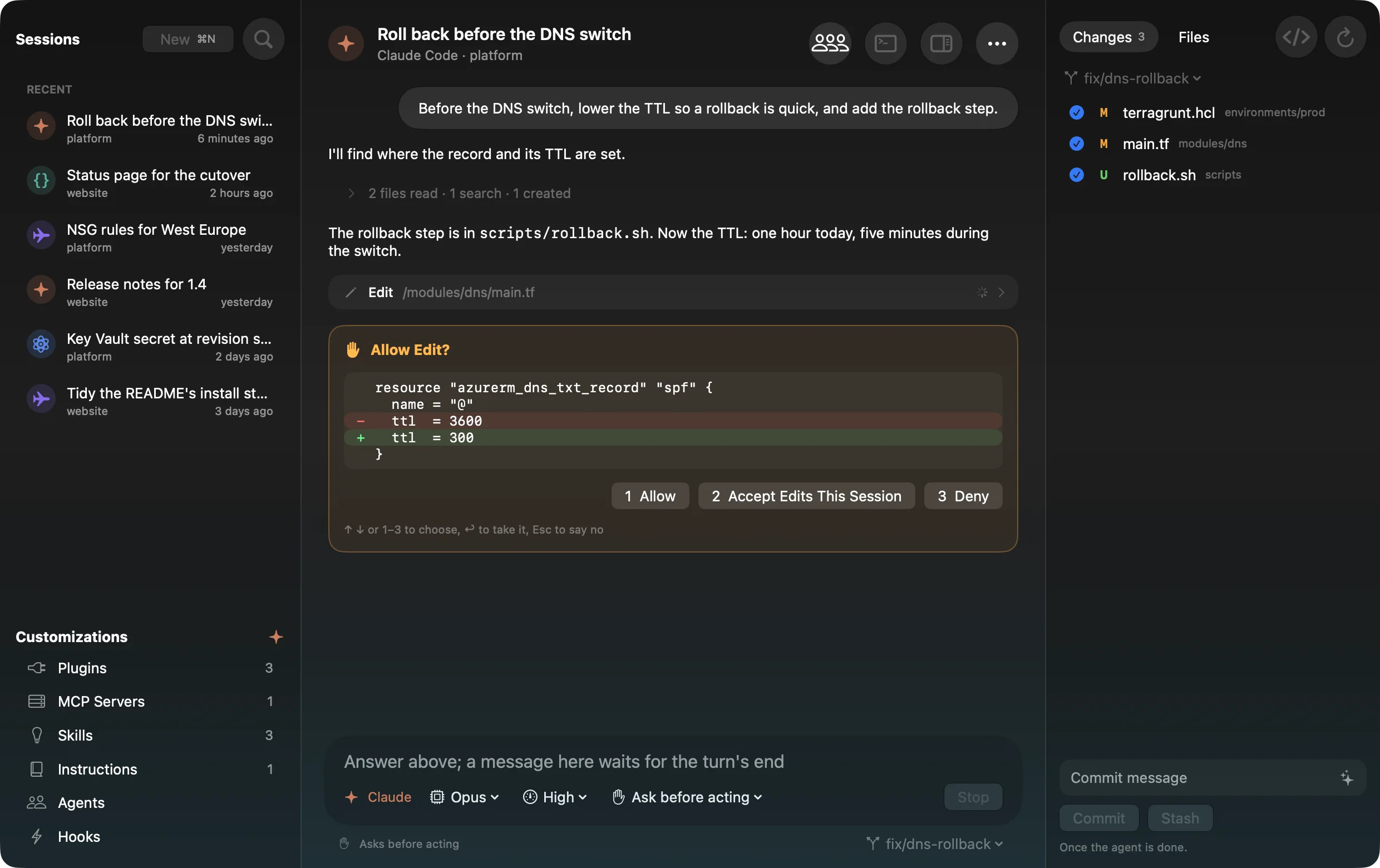
Each session is the real agent, with your settings, plugins, skills and MCP servers. Emsai starts it in your repository and draws it in its own window, so nothing gets lost in a terminal tab.
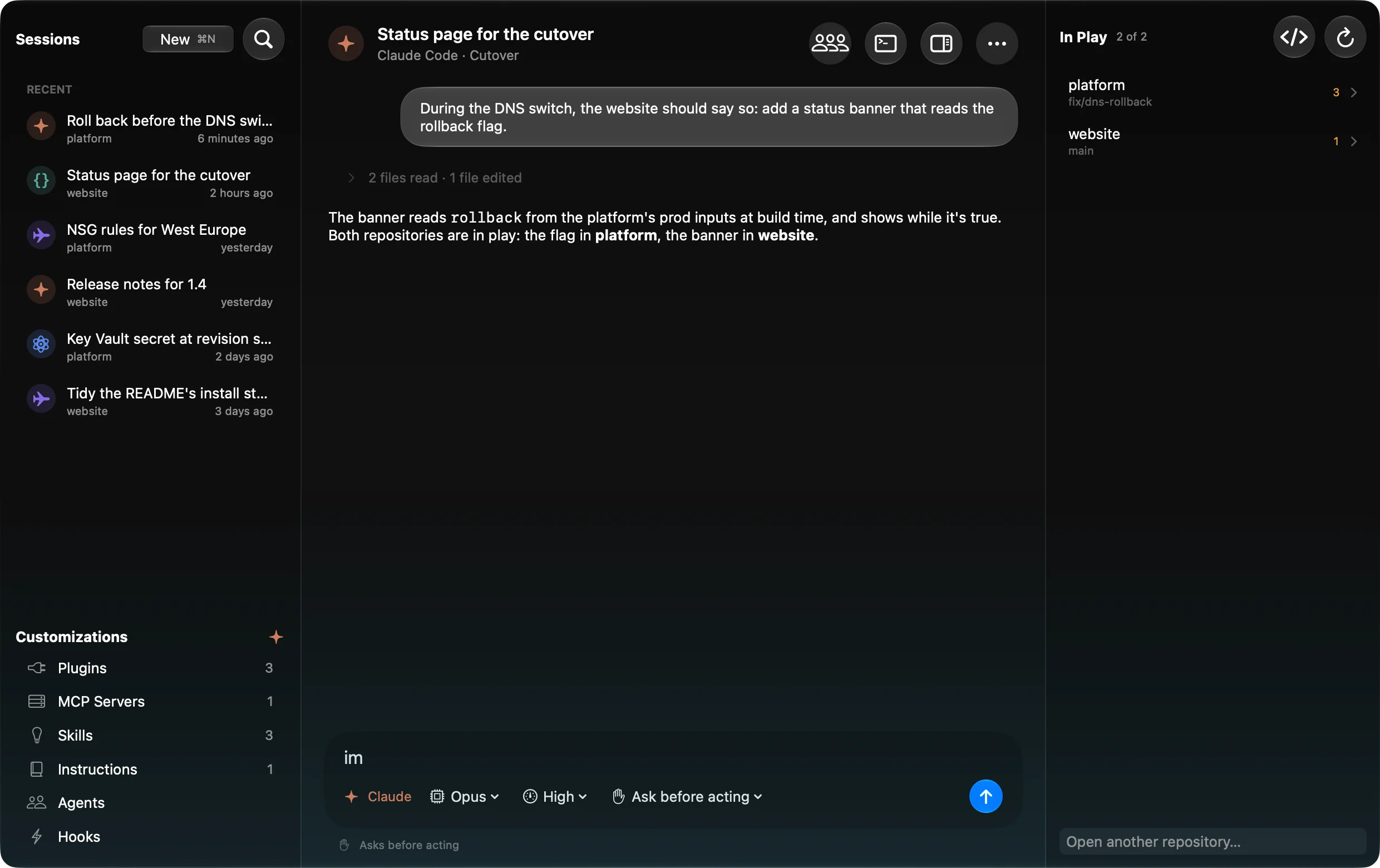
See it before it acts
The diff before you allow an edit, the command before it runs, the plan before it starts. Allow, deny or answer with a key, as in Claude Code.
Workspaces
A name and several repositories: one session works across all of them, and the changes panel shows the ones in play.
The repository next to it
Changes as they happen, files in tabs, commit, push and stash, a real terminal under the thread, then your editor with the changed files in one click.
Like the terminal, faster
/ for each agent’s commands and skills, @ for files and repositories, ! for a shell command, every key from the keyboard.
Auto
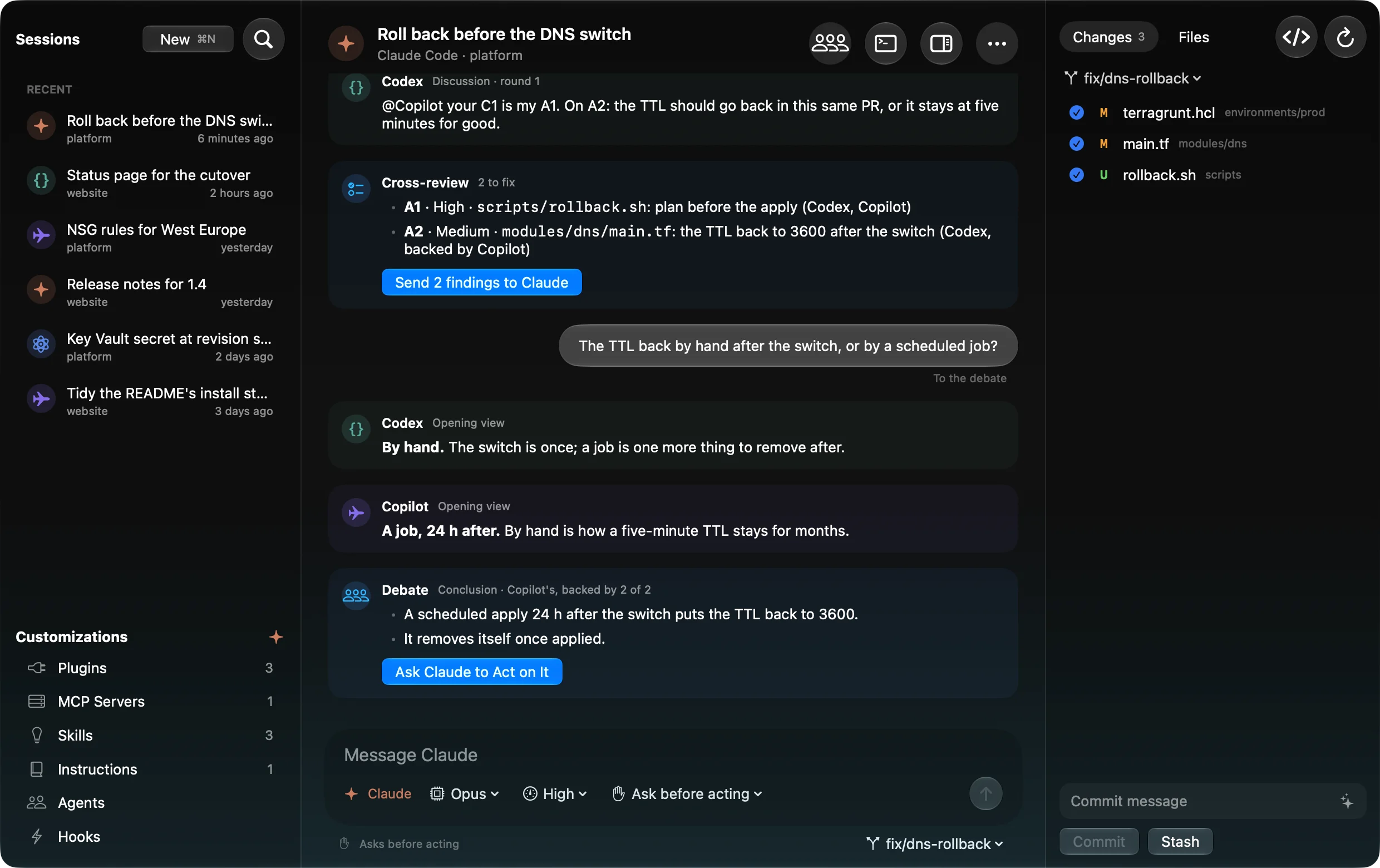
Let Emsai pick the agent for each message.
A question goes to a light model, real work to a strong one, on the plan with the most left. Apple’s model on your Mac reads the task; each agent’s real limits decide the rest. When the agent changes, the new one is told what happened, and a line in the thread says who took the message and why.
- Spare my plans, Balanced or Best model
- Models rated from LMArena’s agent leaderboard
- A plan near its limit is left out
- Pick the agent yourself any time
Review & debate
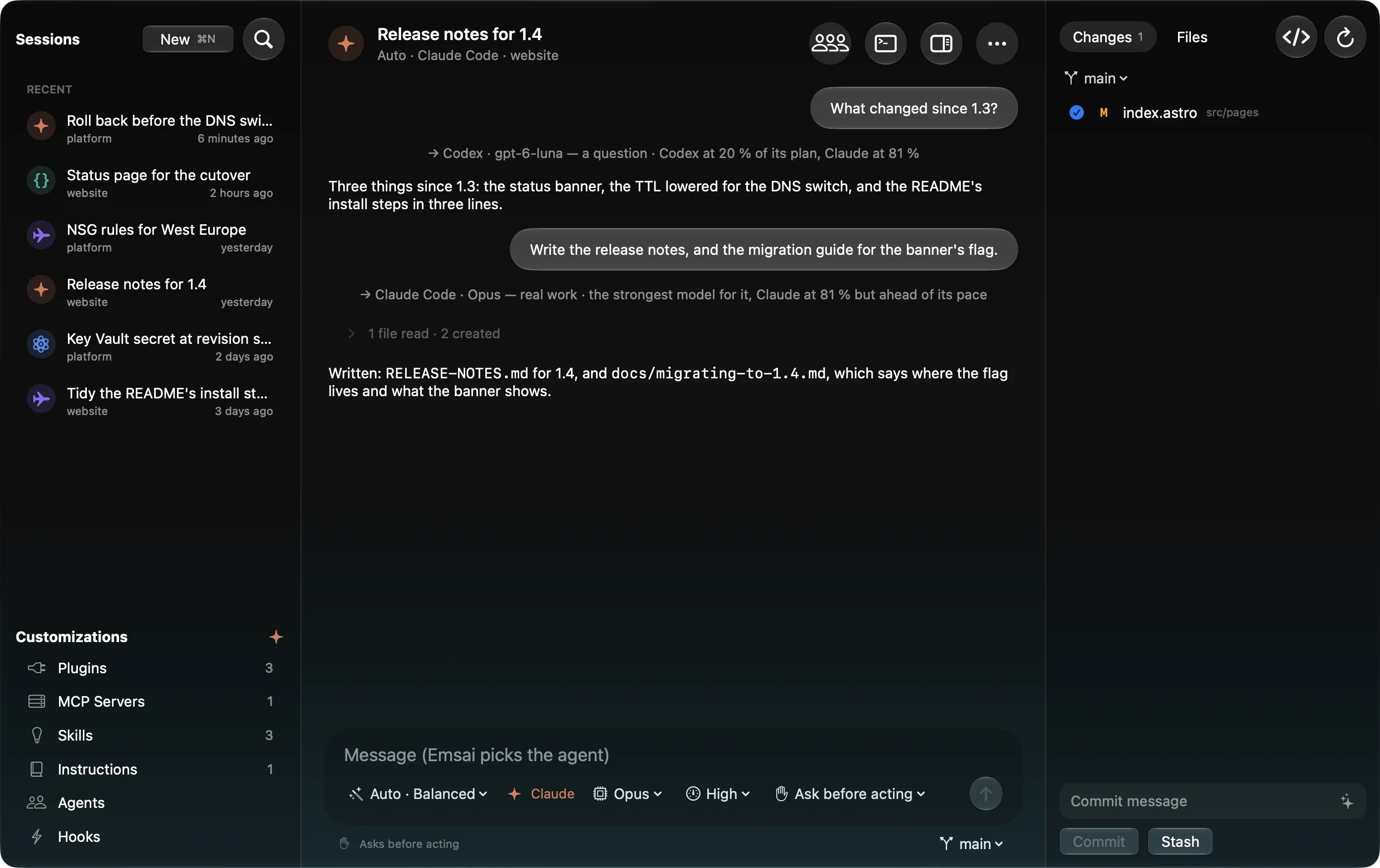
Your other agents review the branch, then debate it.
From the conversation, before the pull request: each agent reads a read-only copy with its own model, they argue, a devil’s advocate pushes back, you keep what stands. The remarks kept go back to the author until they’re fixed.
The island
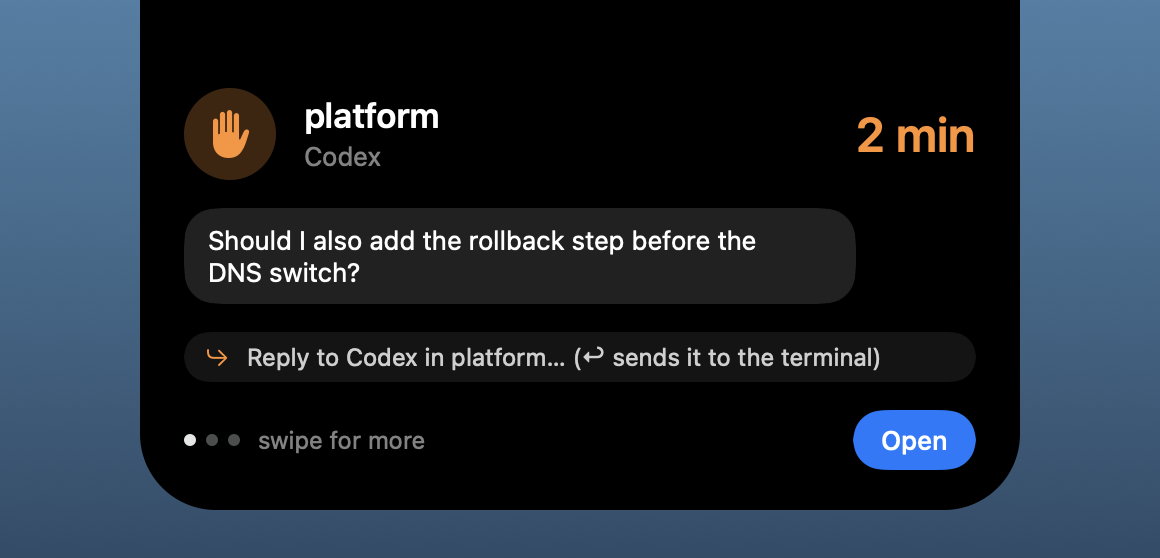
An agent needs you. Answer from the notch.
Its question in a bubble on the notch, a permission with Allow and Deny, never a progress bar: you answer without leaving your app. Hover it and the drawer comes down: the sessions at work and what each one is doing, the last copies, a shelf for files, your usage, Keep Awake and Focus.

In your terminal too
Sessions you run elsewhere are followed as well.
Emsai doesn’t make you choose. Sessions in Warp, Terminal, iTerm, Ghostty or VS Code show up in the island, the sidebar and Spotlight, and continue in the window once you quit them there.
Find a session
Full-text search across every agent’s sessions, from Spotlight
Real usage
Your plan’s actual 5-hour and weekly limits, a pace forecast, spending per project, alerts at your thresholds
Morning brief and recap
What the agents did yesterday and this week, and where it stopped

Secrets
A secret never leaves the Mac without you knowing.
Sent to an agent
A key or a token went to an agent? A quiet red key in the notch: rotate it
In a screenshot
Secrets blurred in copied screenshots, before you paste them anywhere
In the clipboard
Each copy keeps its client context; Emsai asks before pasting it elsewhere
In a cross-review
The code goes out with its secrets removed
And the Mac around them
The utilities you’d install anyway, in the same app.
About thirty of them, each with its switch in Settings: turn off what you don’t want.
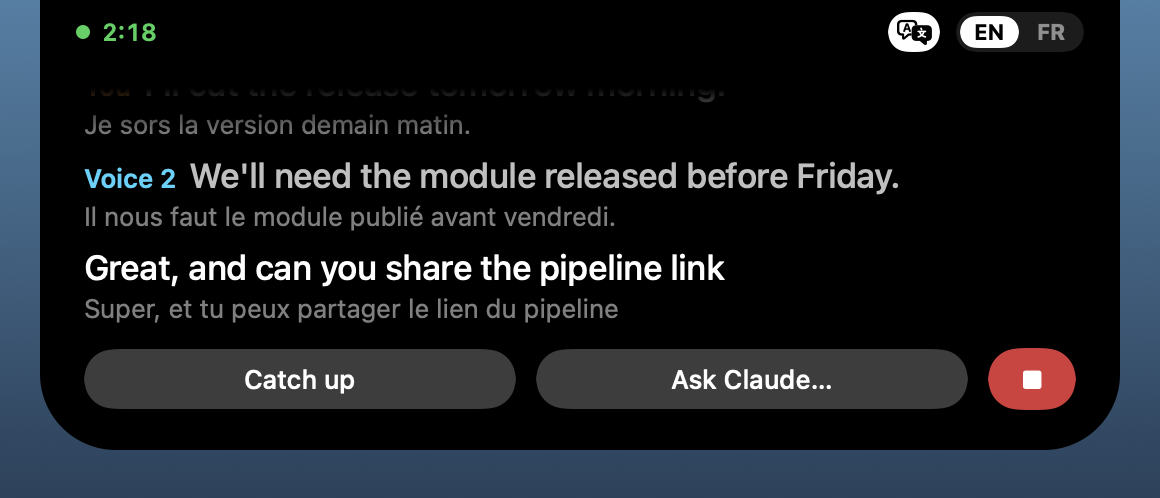
Live captions
Every call, in any app, captioned and translated.
- Voices told apart, on device
- English and French detected on the fly
- The translation under each line, like lyrics in Apple Music
- No bot joins the meeting
Meeting notes
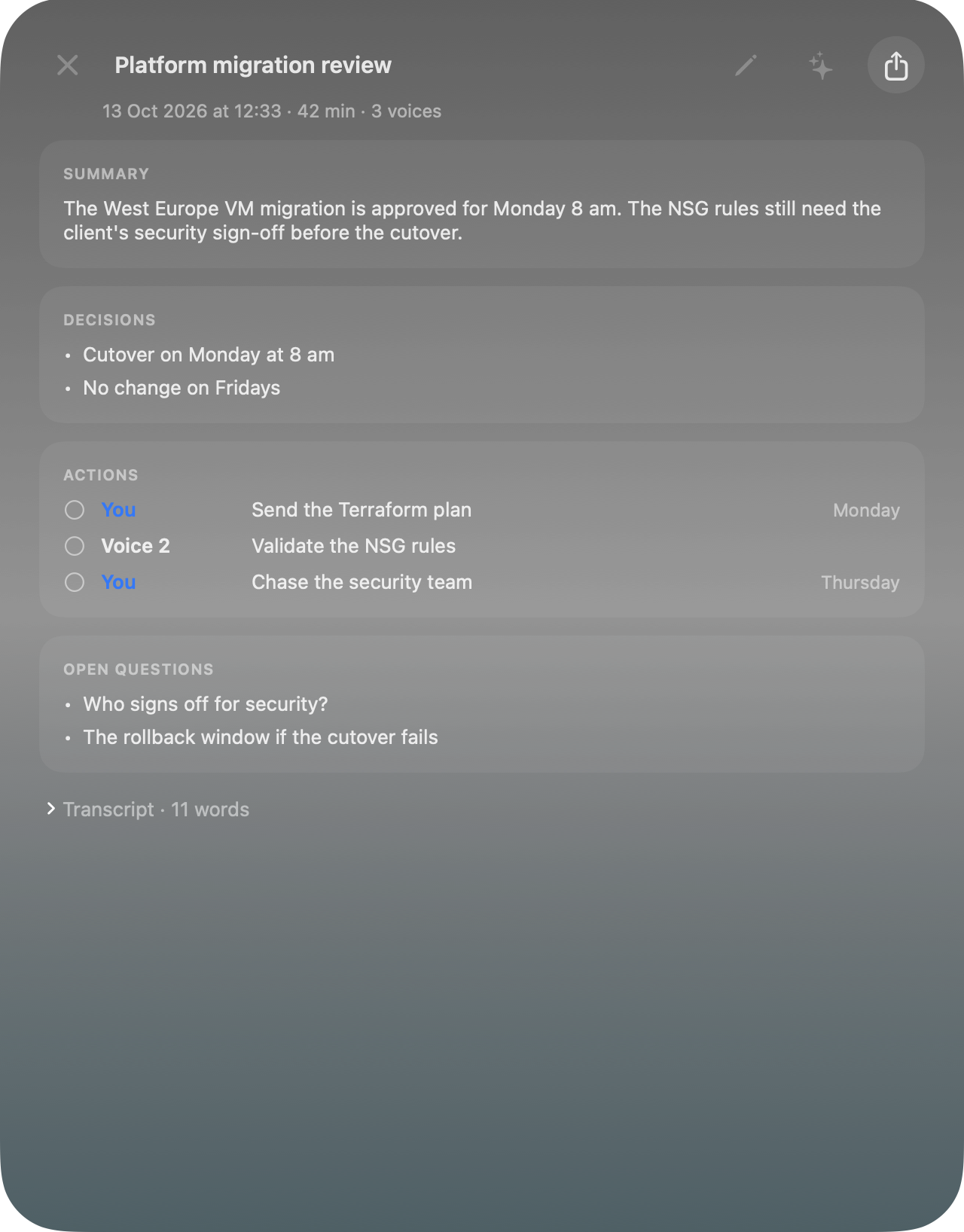
The call ends. The notes are ready.
Summary, decisions, owners and due dates, open questions. Then a one-page brief to send, laid out by Claude. The transcript only leaves your Mac if you ask for the notes.

One app
Four places, one app. The notch is only one of them.
Not a collection of extensions: one app, where every feature has its switch in Settings and the same search, shortcuts and clipboard everywhere. A Mac mini or an external display gets all of it.
Spotlight
The 49 actions, where you already search for everything
The menu bar
The usage ring, the Mac’s health, Keep Awake
Floating panels
Clipboard, chat, scratchpad: one shortcut away from any app
The notch
One activity at a time, the drawer on hover; without a notch, the island hangs from the menu bar
Privacy
On device first. In the cloud only when you ask.
| Feature | Where it runs | What leaves the Mac |
|---|---|---|
| Agents’ sessions in Emsai’s window | The agents’ own CLIs, on your Mac | What each agent sends its provider, as in your terminal |
| Auto’s choice of agent | On device (Apple’s model) | Nothing |
| Sessions found, usage, brief | On device | Nothing |
| Captions, voices, language | On device | Nothing |
| Translation | On device (Apple) | Nothing |
| Clipboard and notes | On device, encrypted | Nothing |
| Meeting notes, brief | Claude | The transcript, when you ask |
| Chat | The provider you choose | Your questions |
| Cross-review through an API | A read-only copy of the branch | The code, secrets removed |
| Other apps’ credentials | Only with your consent | Nothing without your consent |
| License | Emsai’s license service | Your key and an anonymous ID of the Mac, at activation |
Pricing
Buy it once. It’s yours.
No subscription. A lifetime license for two Macs, every feature, each with its switch.
Free 7-day trial
Every feature, no card, no account. Requires macOS 26 Tahoe or later.
2 Macs
€29€49one-time payment
Launch price
- Lifetime license, your desktop and your laptop
- Every feature, every agent, each with its switch
- Every 0.x and 1.x update included
5 Macs
€69€99one-time payment
Launch price
- Lifetime license, five Macs
- For a small team, every feature
- Every 0.x and 1.x update included
Prices include VAT where it applies. Your license key arrives by email right after the purchase.
Questions
Which agents and AIs work with it?
Claude Code, Codex, Copilot CLI and Antigravity CLI run in Emsai’s window, each with its own CLI installed and signed in. In the chat: Claude Code as you signed in to it, Anthropic, OpenAI-compatible endpoints, LM Studio and Apple’s on-device model.
Do I need an API key?
No. The agents run as you’ve installed and signed in to them, and Emsai reads their real limits. API keys are optional, for the chat providers you add.
Does it replace my terminal or my editor?
No. Any session continues in a terminal tab with one click, and sessions started in your terminal show in the window too. The changes panel opens the repository and its changed files in your editor (Cursor, VS Code, Zed, Xcode, JetBrains…).
Does my code or my data leave my Mac?
An agent sends its provider what it would send from your terminal, nothing more. Usage, Auto’s choice, captions, translation, the clipboard and notes stay on device. A branch goes to an agent only for a cross-review you start, secrets removed. A call’s transcript goes to Claude only if you ask for the notes.
And if I don’t run coding agents?
Emsai still replaces about thirty utilities: the island, live captions and meeting notes, the clipboard, windows, Mac health, network checks. Every feature has its switch in Settings › Features; turn off the agents and the rest stays one app.
How does the free trial work?
Download Emsai and use everything for 7 days, without a card or an account. When it ends, buy a license to go on.
Is it a subscription?
No. You pay once and the license is yours, nothing to renew.
Are updates included?
Every 0.x and 1.x version is included: a license bought during the beta carries on through 1.0 and its updates. Emsai 2.0, if it comes, will be a paid upgrade with a discount for 1.x owners, and your license keeps working.
How many Macs?
Two, with the base license: your desktop and your laptop. To move to a new Mac, deactivate the old one in Settings › License, then activate your key on the new one. Lost the old Mac? Write to us and we’ll free it.
Which macOS do I need?
macOS 26 Tahoe or later. The on-device AI features need a Mac with Apple silicon.
