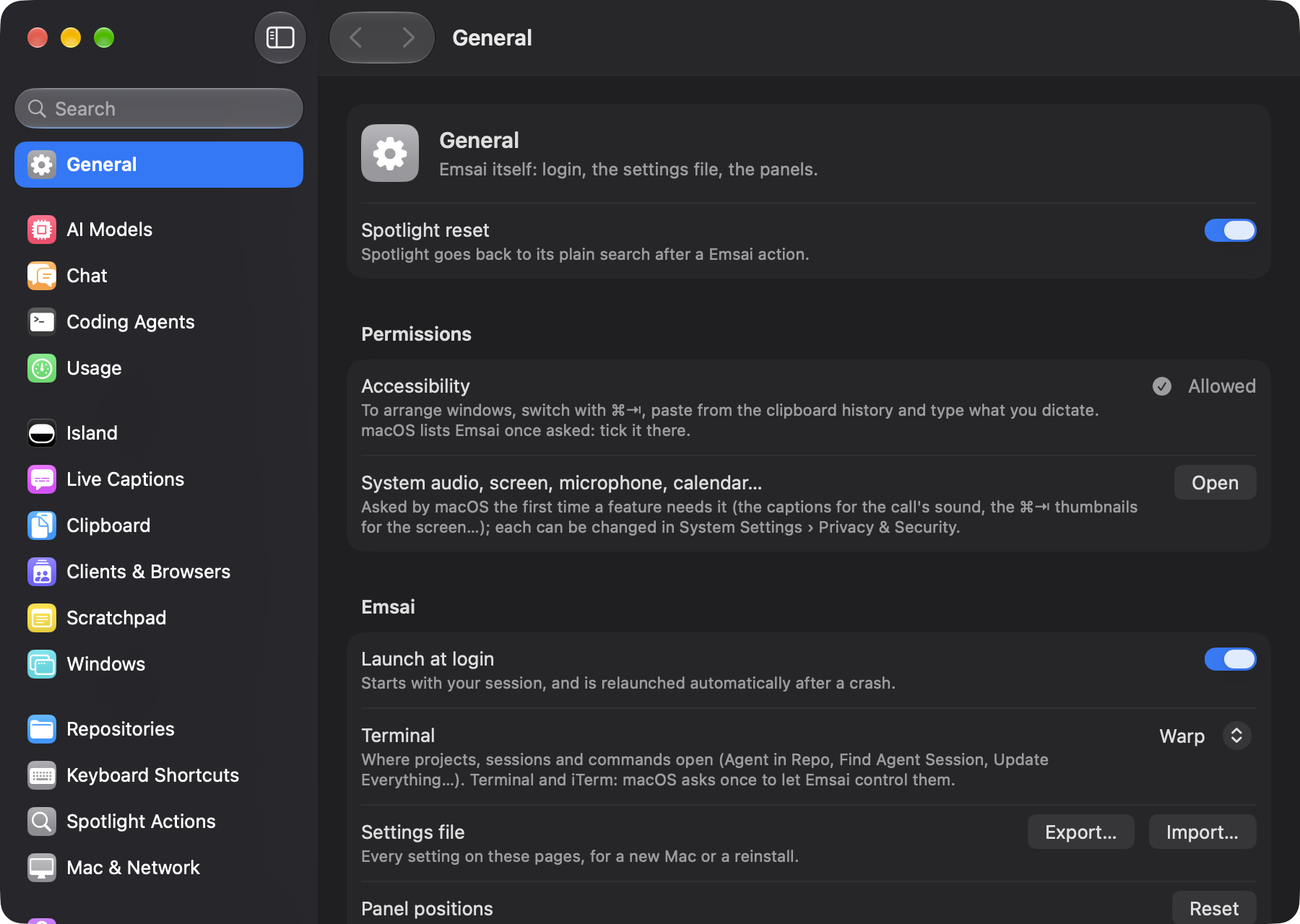
Everything Emsai does.
Every surface follows the macOS one it sits next to: Spotlight, Notes, System Settings. And every major feature can be turned off if you don’t want it.
Emsai Agents
Every agent in one window, the repository next to it.
Side by side
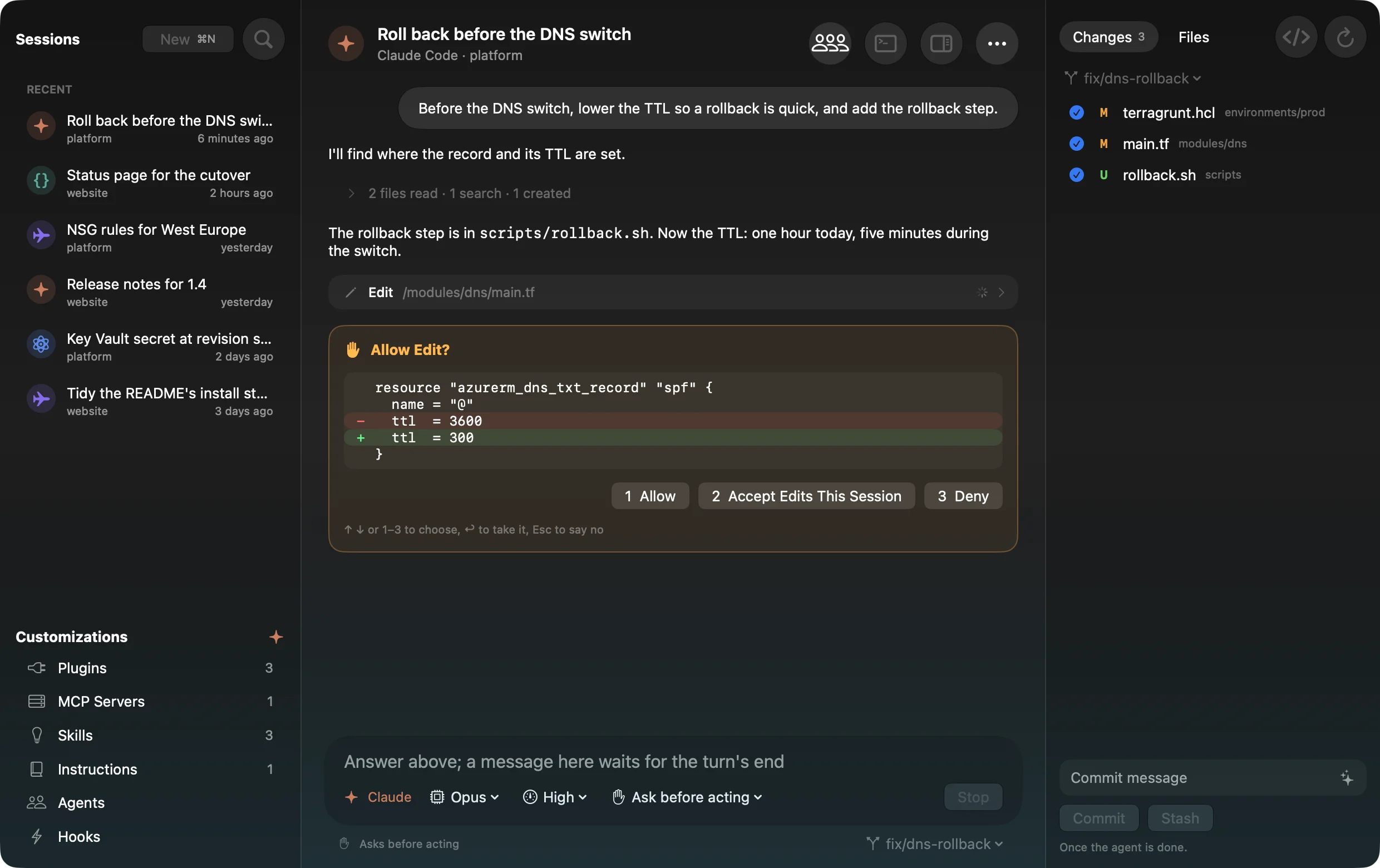
Claude Code, Codex, Copilot CLI and Antigravity sessions, each the real agent with your settings, plugins and MCP servers
Before it acts
The diff before an edit, the command before it runs, the plan before it starts; Allow, Always, Deny
Its questions
Answered in the window, the island or a notification, with a key: ↑ ↓, a digit, ↩
/ @ !
Each agent’s commands and skills, files and repositories tagged, a shell command in the terminal below
Workspaces
Several repositories, one session; the changes panel lists the ones in play
Changes, commit, push
Each diff, files in tabs with syntax colours, a commit message written from the diff, never a push to main
Terminal and editor
A real terminal under the thread, your editor opened on the changed files, any session continued in a terminal tab
Keyboard first
⌘N, ⌘1…9, ⌘F through every session, ⇧⇥ to the sidebar, Esc stops a turn
Auto
The agent and the model, picked for each message.
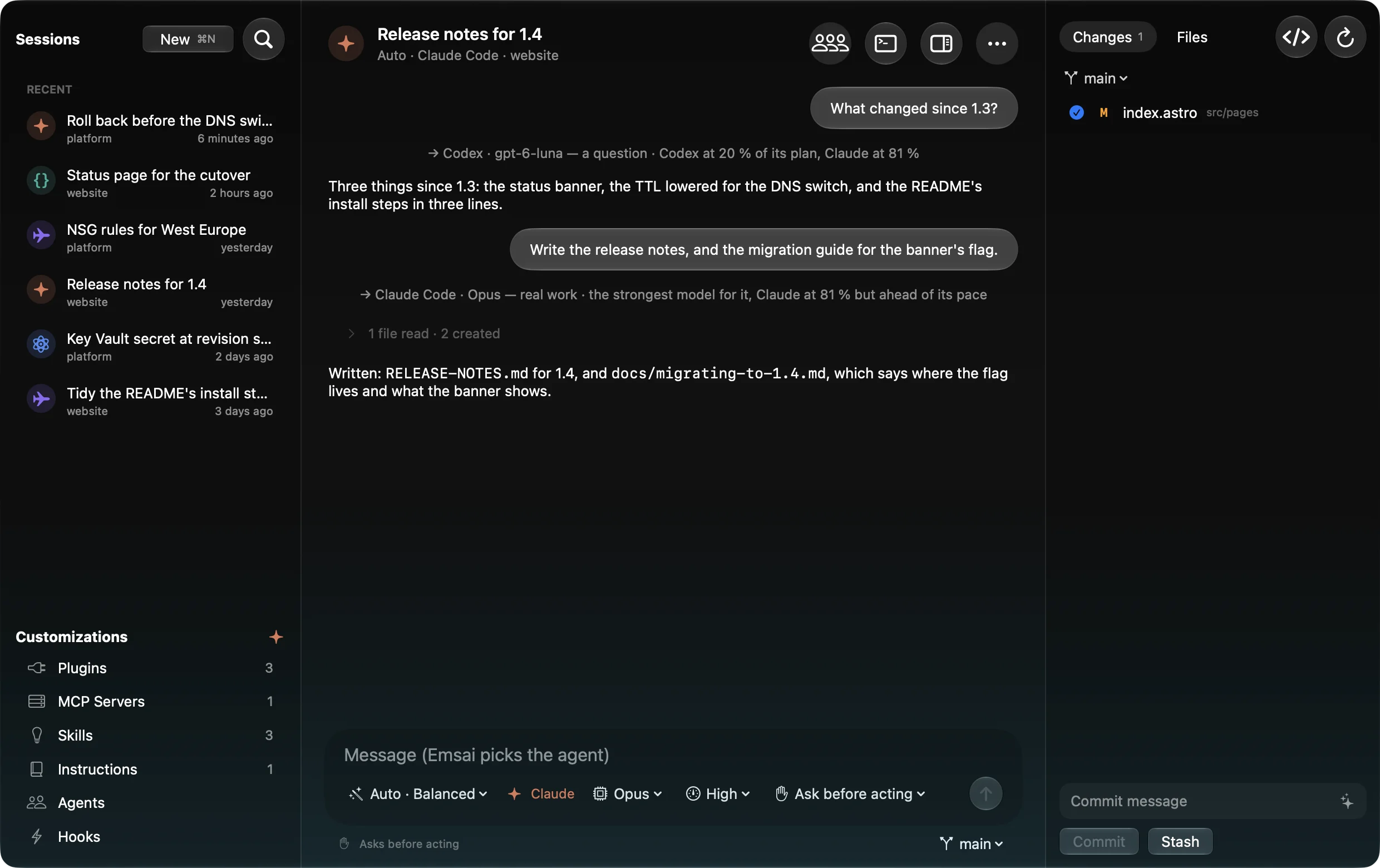
- The task read by Apple’s model on your Mac, 4 seconds at most
- Each model rated from LMArena’s agent leaderboard
- Your plans’ real limits: one near its limit is left out
- Spare my plans, Balanced or Best model, per session
- The new agent told what happened since it last took part
- A line in the thread: who took the message, and why
In your terminal too
Sessions you run elsewhere, followed.
Find a session
Full-text search across Claude Code, Codex, Copilot CLI and Antigravity CLI, from Spotlight
Live sessions
Working or waiting, in the island and the menu bar; “done” and “needs you” notifications
Brief and recap
A morning brief, a daily or weekly recap of what the agents did
Secret alerts
A key sent to an agent waits in the notch, folded, telling you to rotate it
Agent in a repo
A terminal tab in any repository, with the agent you pick or its last session there
Branches and PRs
Start a branch, open the pull request, find unfinished work, prune merged branches
Agents’ usage
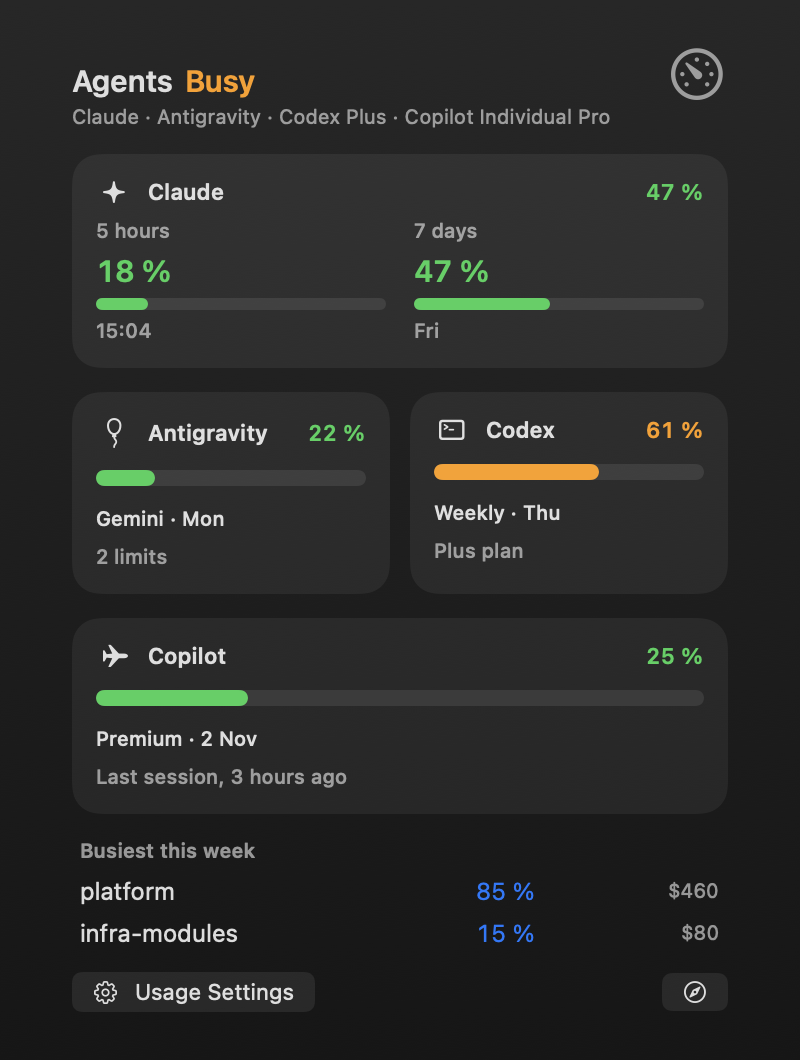
Every agent’s limits, in one place.
Claude, Codex, Copilot and Antigravity: a card per agent, a ring in the menu bar, a pace forecast, spending per project and alerts at your two thresholds.
Reading another app’s credentials happens with your consent, never behind your back.
Review & debate
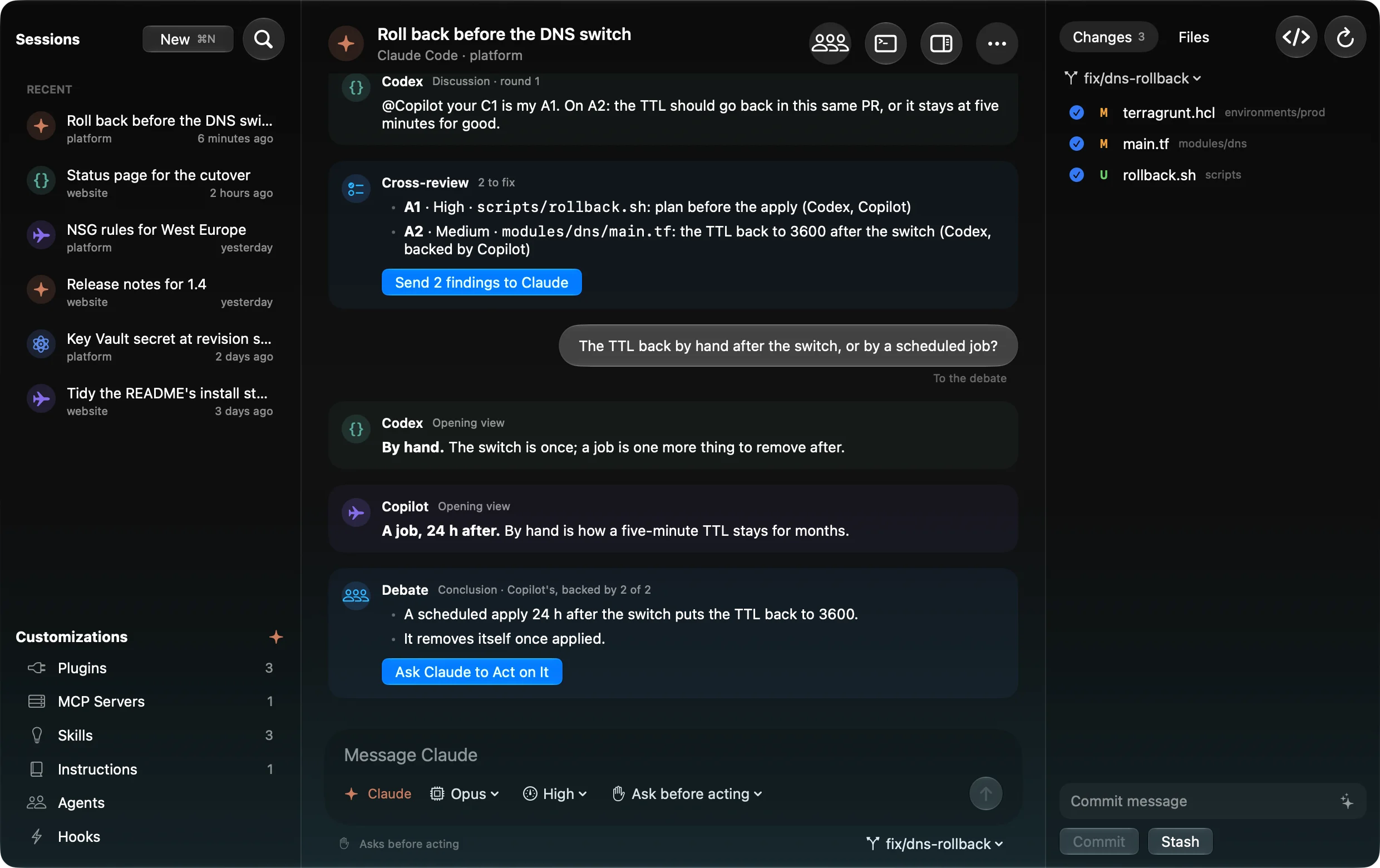
Agents review each other’s work until it’s settled.
- 1
Review
Each agent reads a read-only copy, with its own model
- 2
Debate
Agree, disagree, same issue, or a direct discussion
- 3
Decide
Keep or drop; a devil’s advocate on by default
- 4
Back to the author
The remarks kept go back until they’re fixed, or you decide
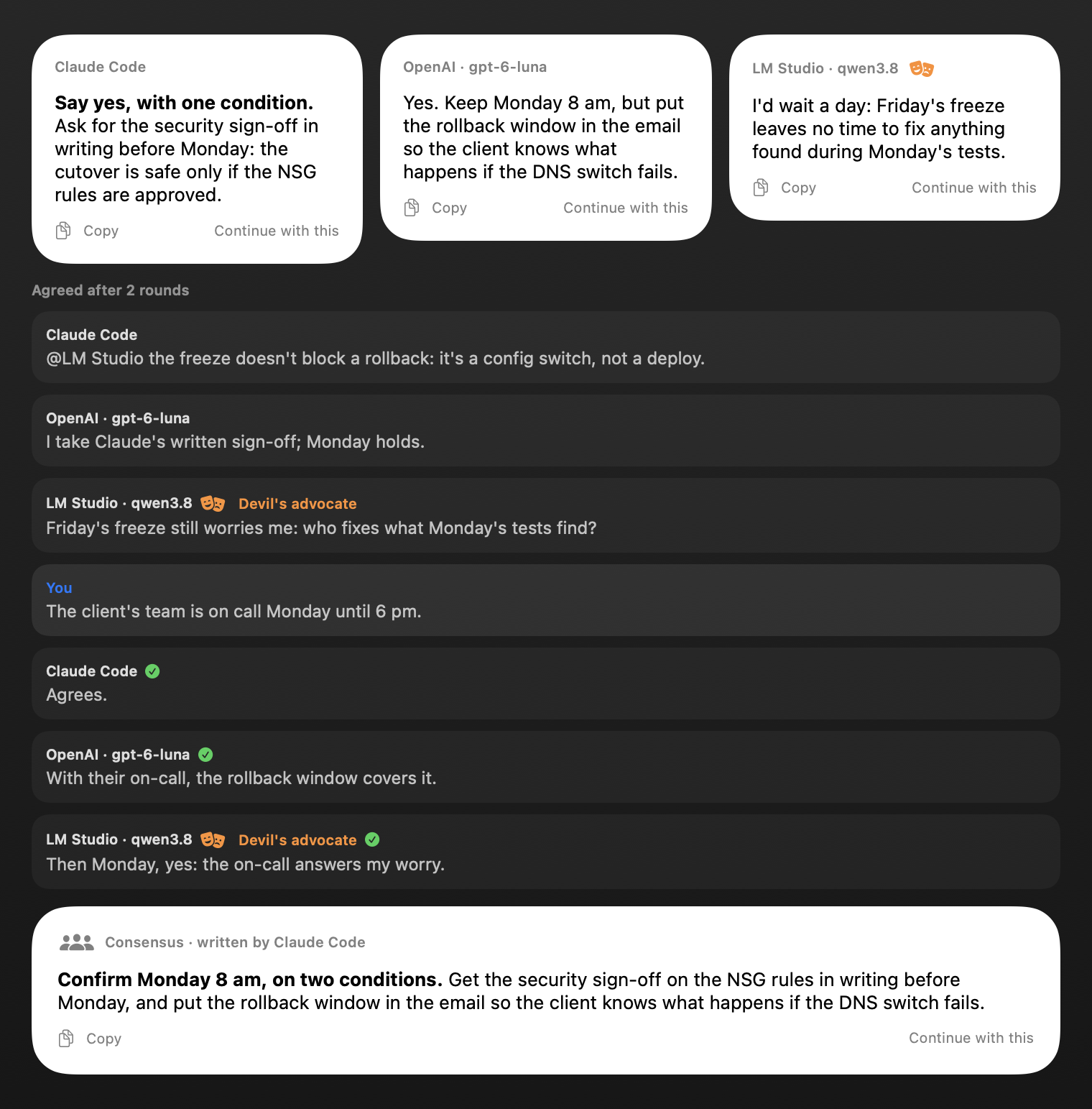
Chat · Compare
One question, several models, one consensus.
- 2 or 3 models at once, answers side by side
- Up to three rounds of discussion; you can step in
- A devil’s advocate, then a consensus with “Where they differ”
Every day
Clipboard, notes and every action, one shortcut away.
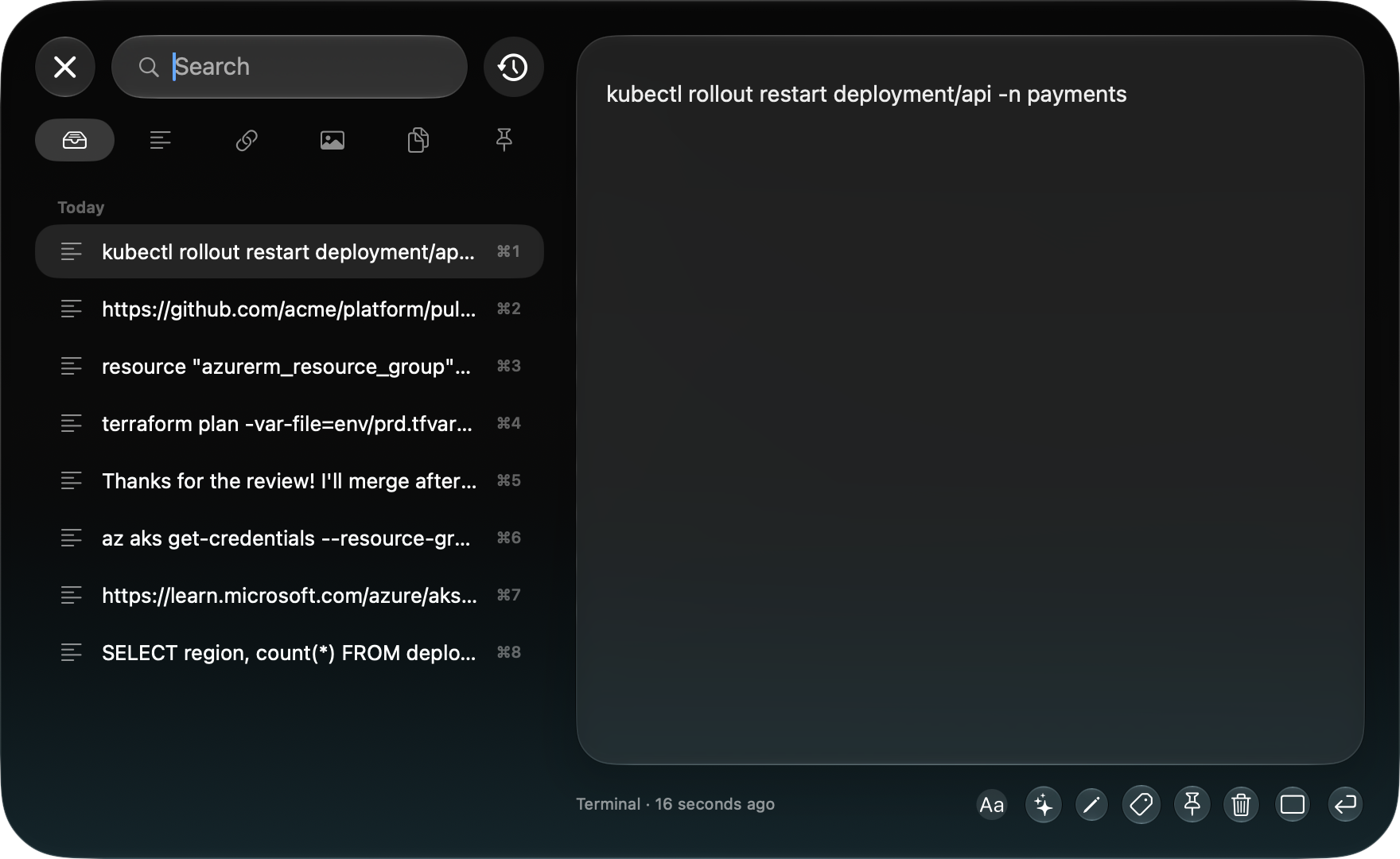
Clipboard · ⌘⌥V
Encrypted history, search, snippets, OCR. Secrets blurred in copied screenshots; each copy keeps its context, and Emsai asks before pasting it elsewhere.
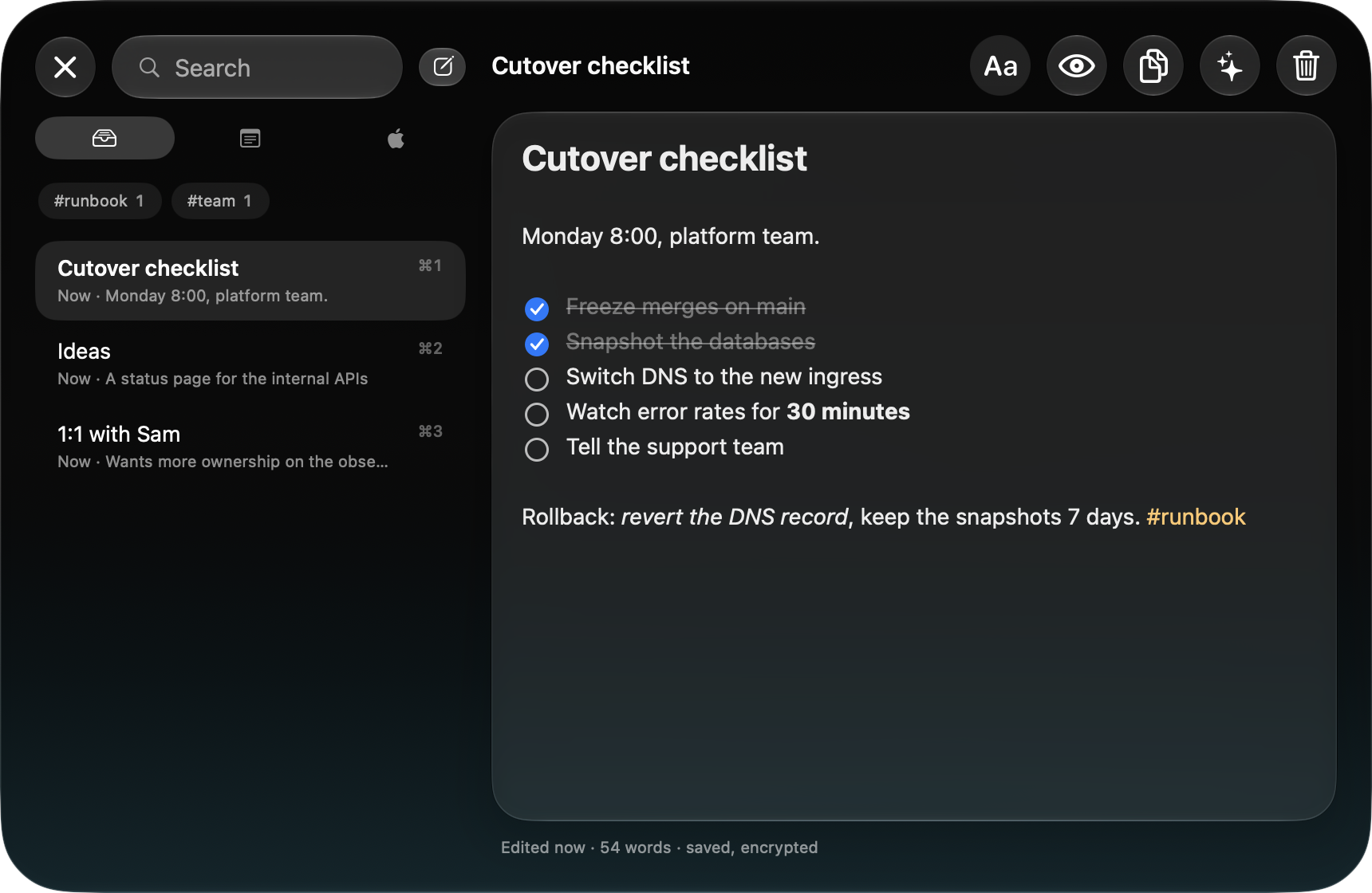
Scratchpad · ⌃⌥N
Markdown notes saved as you type and encrypted, next to your Apple Notes, editable and synced. Searchable from Spotlight.
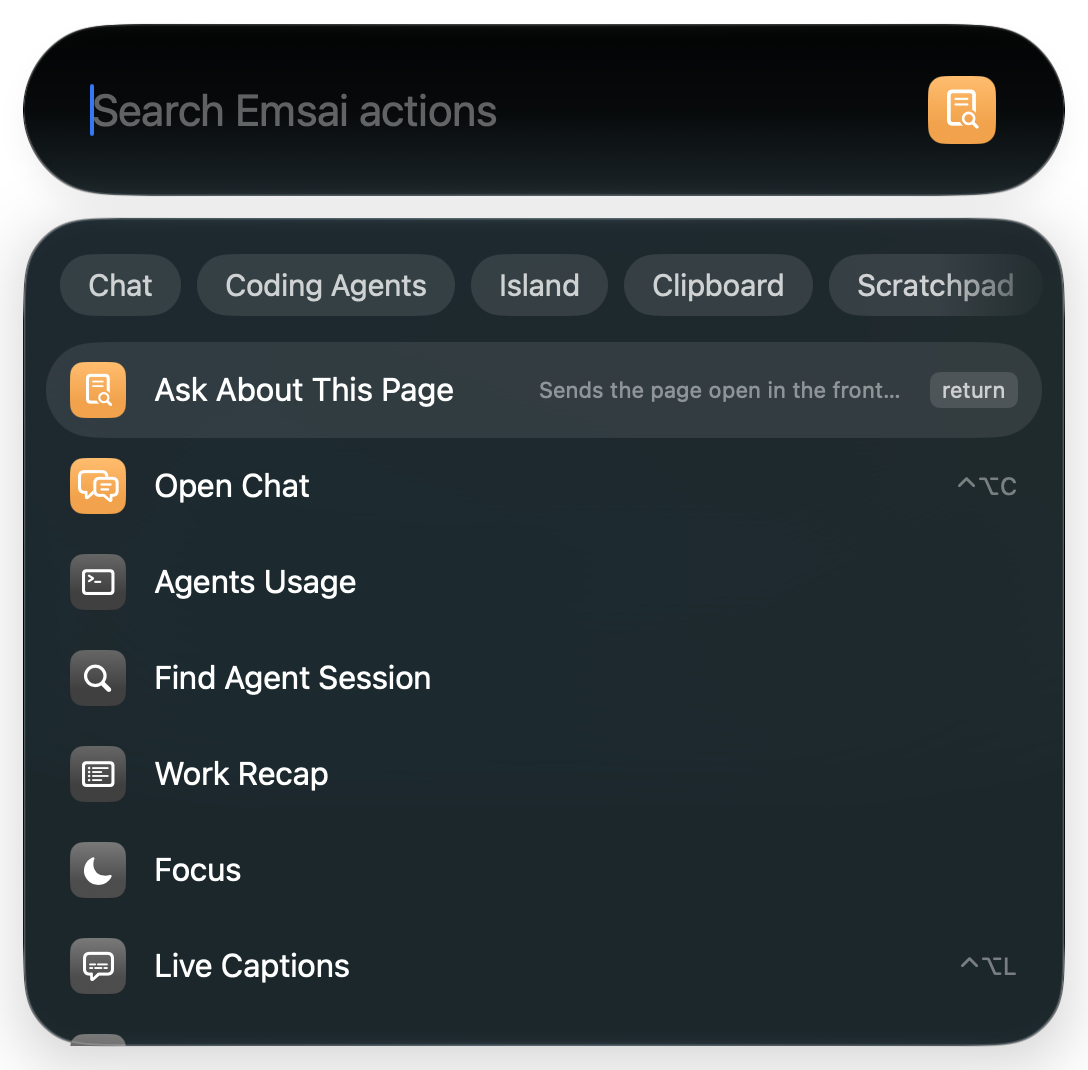
Every action · ⌃⌥O
Type to find an action, Return runs it. All 49 are in Spotlight too.
Windows
Every window where you want it, on every screen.
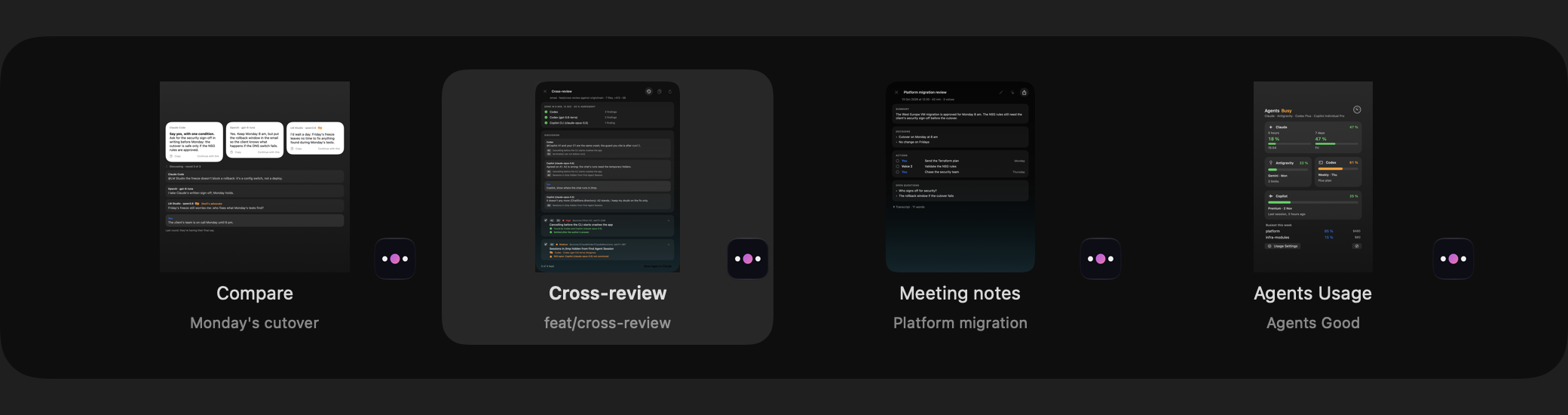
A grid per screen
Move and resize by cells, from one screen to another
A visual ⌘⇥
Apps, or the active app’s windows with ⌥⇥
Window search
⌃⌥⇥ finds any window by its title
Put back
Windows come back when screens change
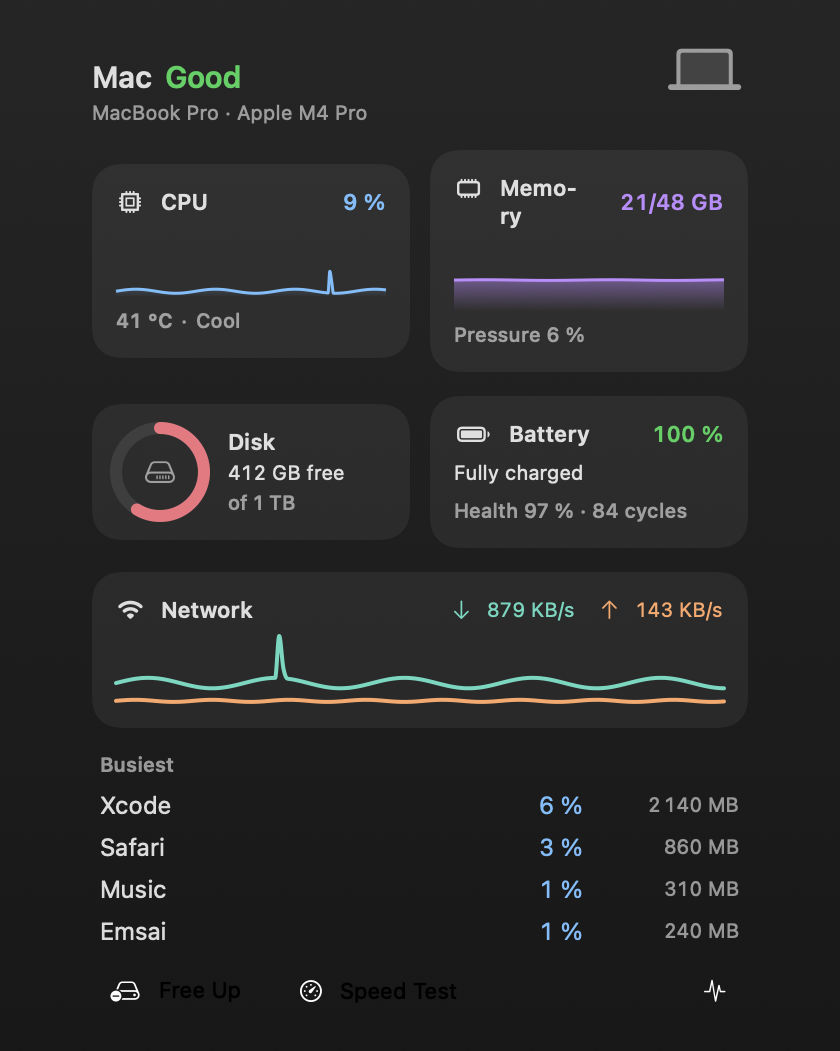
Mac health
The Mac’s health, always in the menu bar.
CPU, memory, disk, battery, network and the hungriest processes. And its upkeep, one action away.
Update everything
Every update, one action
Free disk space
Developer and browser caches, never site data
Force quit
Processes and apps, from Spotlight
Keep awake · ⌃⌥W
No sleep for 2 hours
Mute · ⌃⌥K
In every app at once
Speed test
From Spotlight
Network & browser
Network checks one action away. Every link in the right profile.
DNS lookup
Records, through the system or a public resolver
Certificate
The TLS certificate and its expiry date
Test a port
A TCP port, open or not
Who listens
Local listeners; Return stops one
Subnets
IPv4 calculator, Azure’s reserved addresses included
Public IP · ⌃⌥I
Copied in one shortcut; network profiles switched
Browser profiles
Each link opens in the profile its domain calls for: Dia, Chrome, Brave, Edge. From any app, once Emsai is the default browser.
Native
Like a part of macOS, because it’s built the same way.
Swift and SwiftUI, Apple frameworks, Liquid Glass, settings laid out like System Settings.